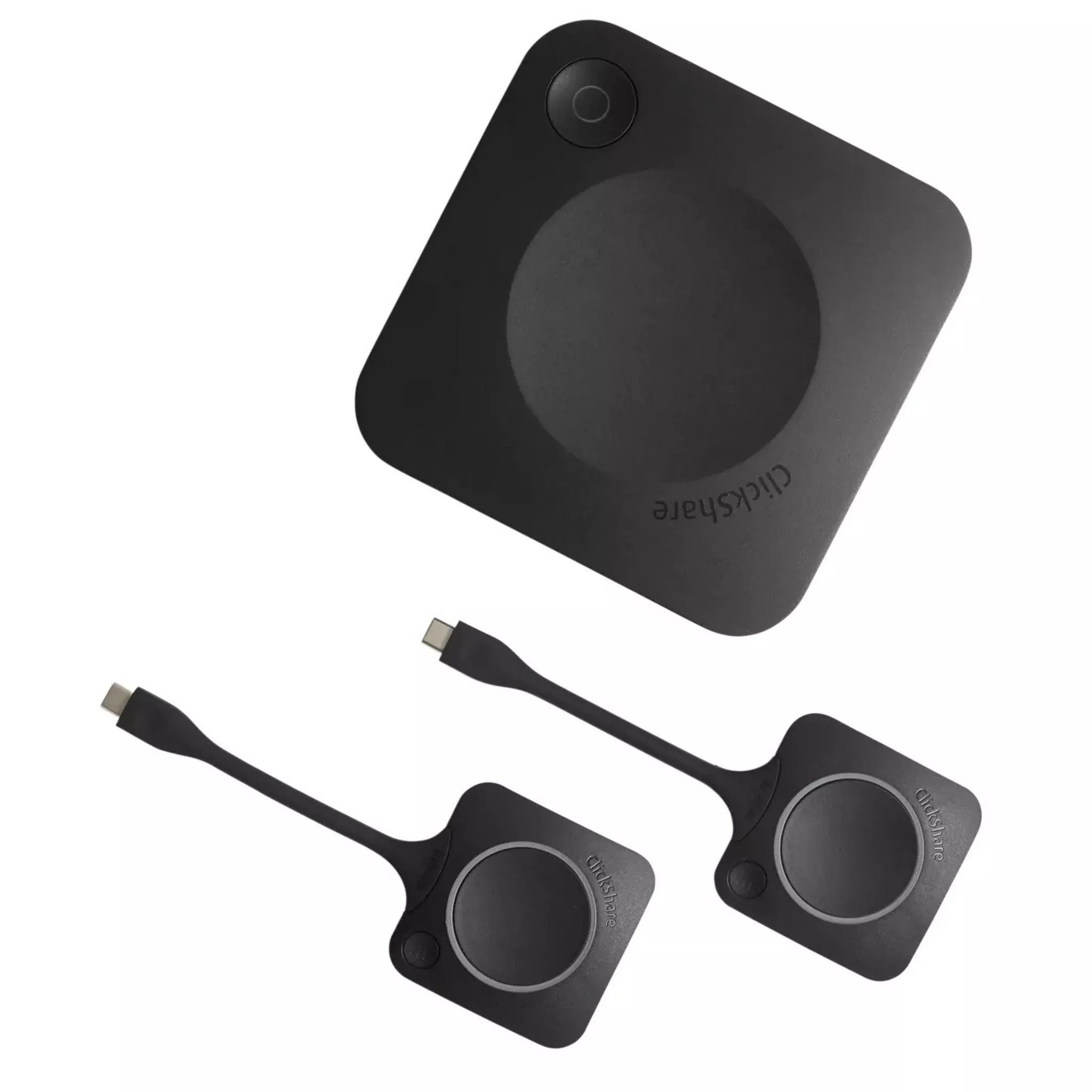
The Barco ClickShare CX-30 Gen 2 Wireless ConferencingSystem with 2 Buttons facilitates wireless conferencing in meeting spacesof medium size. Upon entering the meeting room, ClickShare seamlessly links youto various room devices such as cameras, microphones, speakers, sound bars, anddisplays.
Initiate a meeting swiftly from your laptop, utilizing yourchosen video conferencing platform. Simplify hybrid meetings by effortlesslystarting them with a single click on either the ClickShare Button or theClickShare App, catering to both employees and visitors.
Key Features
- ClickShare CX-30 facilitates wireless conferencing inmedium-sized meeting spaces
- Upon entering the meeting room, ClickShare automaticallylinks you to room devices such as cameras, microphones, speakers, sound bars,and displays
- Initiate a meeting from your laptop in a matter of seconds,utilizing your preferred video conferencing platform
- Simplify hybrid meetings effortlessly, with a single clickon the ClickShare Button or the ClickShare App, for both staff and visitors
- Interactive functionalities include touchback, annotation,and blackboarding
- Enhance collaboration by displaying 2 sources on screensimultaneously
- Conduct video meetings from your laptop using the Button orApp
- Ensures 100% security, encryption, and cloud management
- Streamline the meeting process with seamless connectivityand user-friendly features
- Elevate the meeting experience with advanced technology andinnovative solutions
Technical Specifications
ClickShare Base Unit dimensions
Dimensions (HxWxD)
34 mm x 135 mm x 135 mm
Power supply
Standard 110/220 V AC plug or USB-C (only Gen2)
Power consumption
Operational: 5-10W, 24W Max
Weight
900 gr
General specifications
Operating system
Windows 10 and higher macOS 11 (BigSur) and higher
Android v11 and higher (ClickShare App)
iOS 14 and higher (ClickShare App)
System requirements
For a smooth experience with Microsoft Teams or Zoom
Minimum: Intel i3 dual-core processor / 8GB RAM / OS:Windows 10 latest build or Mojave latest build
Recommended: Intel i5 4-core processor / 8GB RAM /OS:Windows 10 latest build or Mac OS latest build
Video outputs
4K UHD (3840*2160) @ 30Hz. HDMI 1.4b or USB-C DisplayPort1.2 (only Gen2)
Audio output
USB, HDMI
USB
1 X USB-A, 1 X USB-C
ClickShare Buttons
2
ClickShare App
Desktop & Mobile
Native protocols
Airplay, Google Cast, Miracast
Maximum number of simultaneous connections (with Buttonsand/or App)
32
Noise Level
Max. 25dBA @ 0-30 Degrees C
Max. 30dBA @ 30-40 Degrees C
Authentication protocol
WPA2-PSK in standalone mode
WPA2-PSK or IEEE 802.1X using the ClickShare Button innetwork integration mode
Wireless transmission protocol
IEEE 802.11 a/g/n/ac and IEEE 802.15.1
Reach
Max. 30m (100 ft) between ClickShare Button and ClickShareBase Unit
Frequency band 2.4 GHZ and 5 GHz (DFS)
Frequency band
2.4 GHZ and 5 GHz (DFS channels supported in select numberof countries)
Connections
1x Ethernet LAN 1Gbit
1x USB-C 2.0 (front); 1x USB-A 2.0 (front) – only Gen2: 1xUSB-C 3.0 (front); 1x USB-A 3.0 (front)
Temperature range
Operating: 0 Degrees C to +40 Degrees C (+32 Degrees F to+104 Degrees F)
Max: 35 Degrees C (95 Degrees F) at 3000m
Storage: -20 Degrees C to +60 Degrees C (-4 Degrees F to+140 Degrees F)
Humidity
Storage: 0 to 90% relative humidity, non-condensing
Operation: 0 to 85% relative humidity, non-condensing
Anti-theft system
Kensington lock
Certifications
FCC/CE
Touch screen support & Interactivity
Yes
Wireless conferencing
via App or Button
Local view
Yes
Network connection
LAN & WiFi
Management and reporting
Yes
Warranty
1 year standard. 5 years coverage via SmartCare